English first · Bahasa Melayu beside it
A quiet evening, on the television.
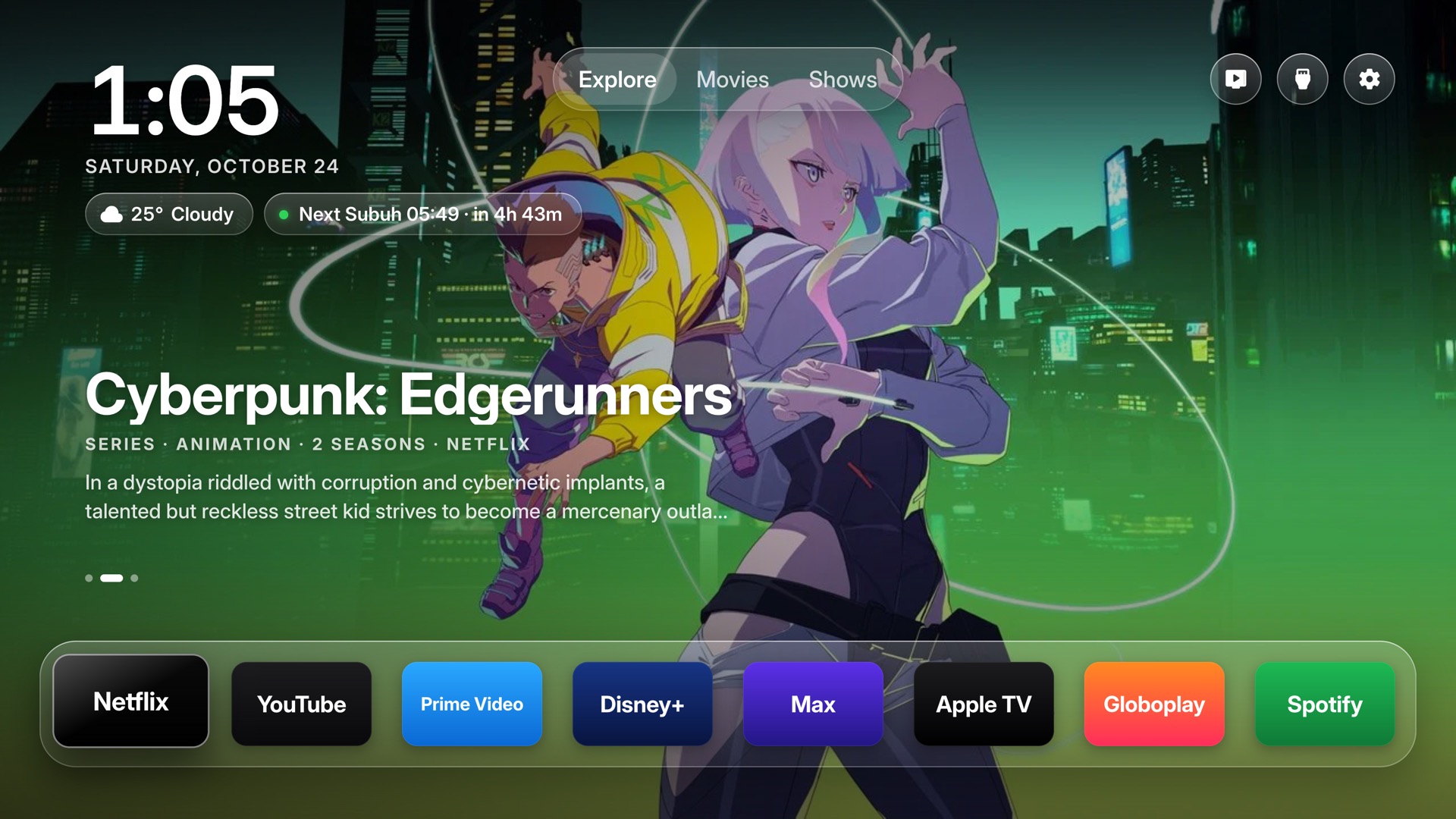
Inspired by the clean glass of Apple TV. Your apps rest on a clear shelf. The weather is one press away, and in Malaysia the next JAKIM prayer time sits beside it. No ads. No sponsored rows. Samsung's own home screen stays where it is.
What it does
Glass, solat, and a way back.
01
Glass
A full-screen photo, a clock, and a shelf of the apps you actually open. Classic stays available if you want the older look.
Nothing is uninstalled.
02
Solat
When a JAKIM zone is set, the next prayer and the time left show next to the weather. The widget can be turned off.
03
Yours to leave
Samsung's own home screen stays. Autorun Last App, under Start Screen Options, makes the TV turn on into this one. Delete the app when you want it gone.
On your Wi-Fi
About ten minutes.
A Samsung TV from 2017 on, Tizen 3 or newer. Set your city in config.properties. A free TMDB key adds the picks. Picture, sound, and inputs stay as they are.
- On the TV, open Apps and type 1 2 3 4 5. Turn Developer mode on, set Host PC IP to this computer, and restart.
- Build and sign. On 2023 and newer TVs the certificate uses your Samsung account.
git clone https://github.com/mkfadzli/samsung-tv && cd samsung-tv && python3 tizen/build.py --sign <profile> - Install. Turn on Autorun Last App if you want the TV to wake into it.
python3 tizen/install.py 192.168.1.50